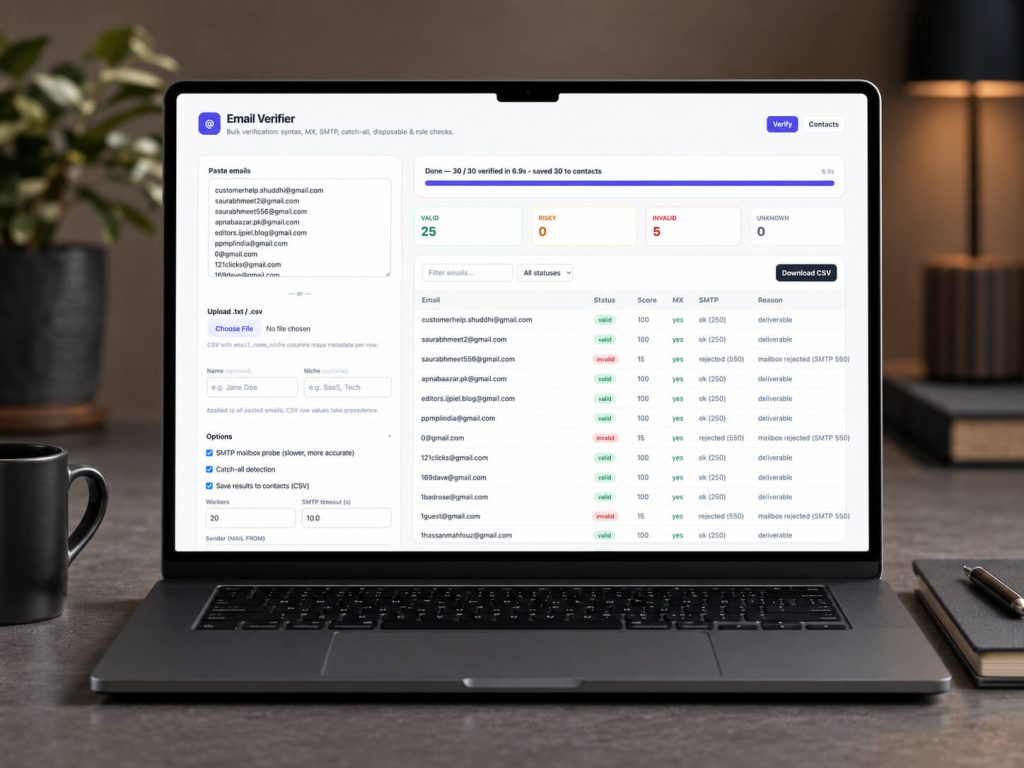
Email Verifier is a free, open-source, self-hosted tool for checking email lists before outreach. Instead of paying per-email verification fees, you can run the tool on your own machine and verify emails using syntax checks, DNS/MX lookup, SMTP mailbox probing, catch-all detection, disposable email detection, and role-based email checks.
The tool includes both a simple web app and a command-line interface. You can paste emails, upload .txt or .csv files, watch live verification progress, filter results, and export the final list as CSV. Verified contacts can also be saved into a local CSV-based contact database, making it easy to search, filter, re-check, and manage leads without needing a separate database server.
Each email is marked as valid, risky, invalid, or unknown, with a confidence score from 0 to 100. This helps you decide which addresses are safer to use, which ones need caution, and which ones should be removed from your list.
Email Verifier is useful for developers, marketers, founders, and small teams who want more control over their email validation process while keeping everything transparent and self-hosted.
Key features:
- Bulk email verification from pasted lists, TXT files, or CSV files
- Syntax validation and email normalization
- DNS and MX record checks
- SMTP mailbox probing
- Catch-all domain detection
- Disposable email detection
- Role-based email detection such as
info@,admin@, andsupport@ - Confidence score for every email
- Web interface and CLI support
- CSV export
- Local CSV contact database
- MIT licensed and open-source
View the project on GitHub: ahmadthedev/email-verifier